Skip to content

Custom workflow activities

  • 一个activity继承自System.Workflow.Activities.CodeActivity
namespace System.Workflow.Activities
{
    //
    // Summary:
    //     An abstract class for creating a custom activity with imperative behavior defined
    //     with the System.Activities.CodeActivity.Execute(System.Activities.CodeActivityContext)
    //     method, which gives access to variable and argument resolution and extensions.
    public abstract class CodeActivity : Activity
    {
        ...
        // Summary:
        //     When implemented in a derived class, performs the execution of the activity.
        //
        // Parameters:
        //   context:
        //     The execution context under which the activity executes.
        protected abstract void Execute(CodeActivityContext context);
        ...
    }
}
  • 在designer中,一个step就是一个activity;一个stage是一个容器,可以包含多个step,stage没有副作用
  • CodeActivity类,需要标记input parameters和output parameters
[Input("DateTime input")]
[Default("2004-07-09T02:54:00Z")]
public InArgument<DateTime> Date { get; set; }

[Output("Money output only")]
[Default("23.3")]
public OutArgument<Money> MoneyOutput { get; set; }

workflow activity的context

  • 可以获取到IWorkflowContext,它继承自IExecutionContext,有这些属性:UserId、PreEntityImages、StageName、InputParameters(会自动绑定,也可以手动到这里取)。
protected override void Execute(CodeActivityContext executionContext)
{
    IWorkflowContext context = executionContext.GetExtension<IWorkflowContext>();
    IOrganizationServiceFactory serviceFactory = executionContext.GetExtension<IOrganizationServiceFactory>();
    IOrganizationService service = serviceFactory.CreateOrganizationService(context.UserId);
   ...
}

workflow中的image

  • 注意:image不是图片,这里是比喻,指的是 这条记录改动前的快照、改动后的快照。
  • 不可以configure,但可以直接读取。
  • 文档https://community.dynamics.com/365/sales/b/crminogic/posts/using-preentityimage-and-postentityimage-in-workflows
Entity contractedProductPreImage = context.PreEntityImages["PreBusinessEntity"];
Entity contractedProductPostImage = context.PreEntityImages["PostBusinessEntity"];

示例代码

  • 参考https://github.com/demianrasko/Dynamics-365-Workflow-Tools

配置workflow

  • 使用PluginRegistrationTool上传的是workflow assembly。上传后还需要到手动在designer中创建workflow
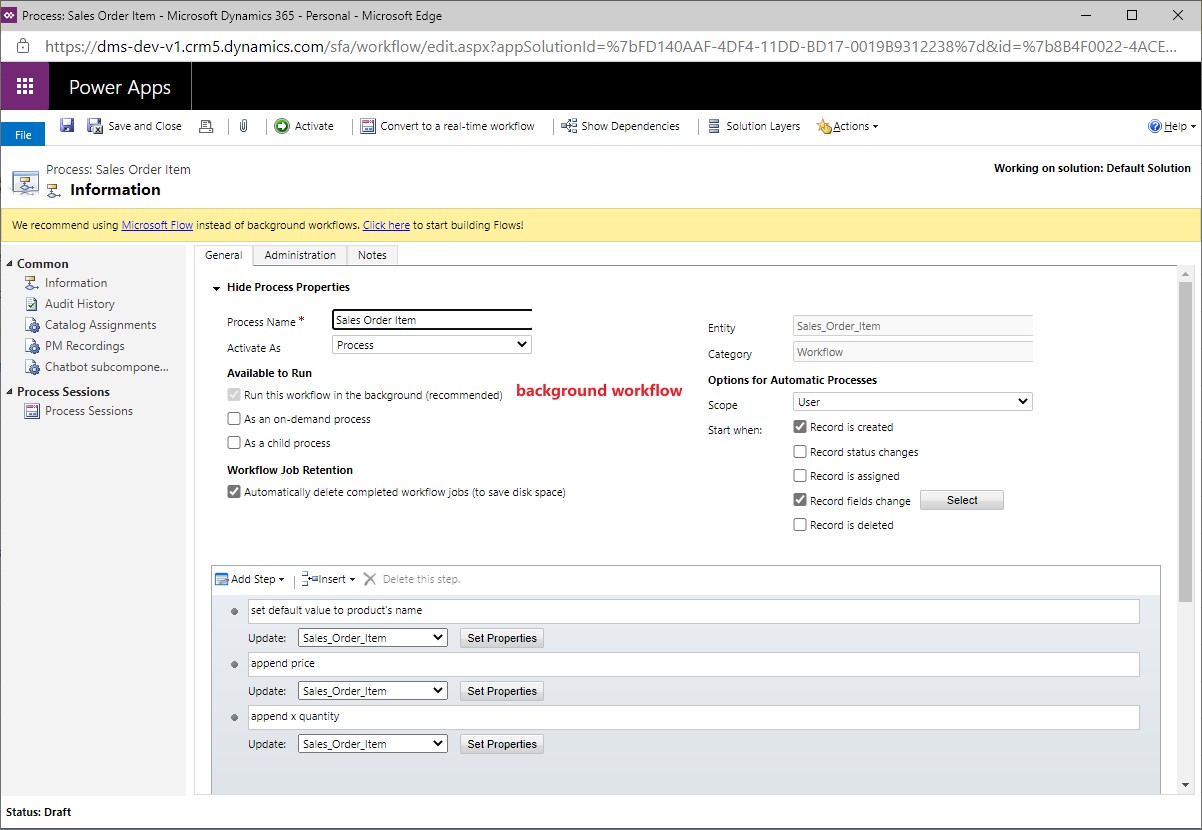
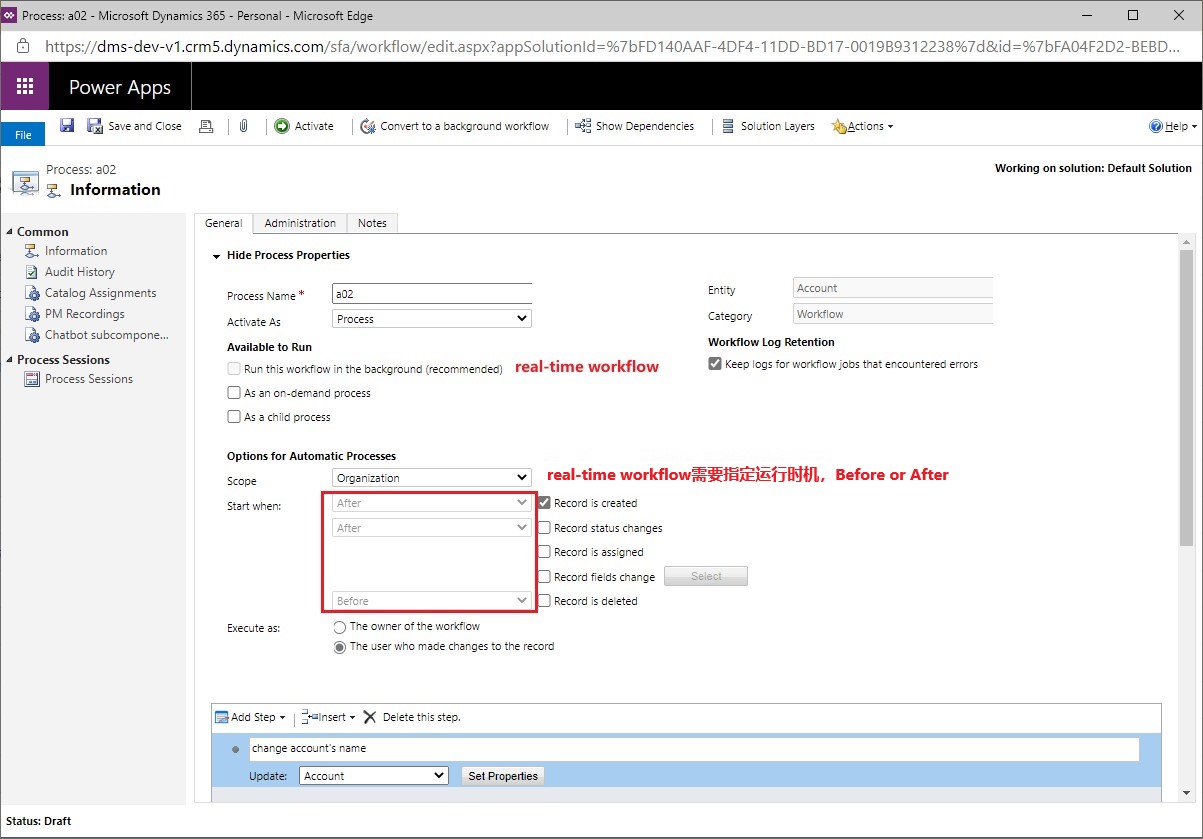
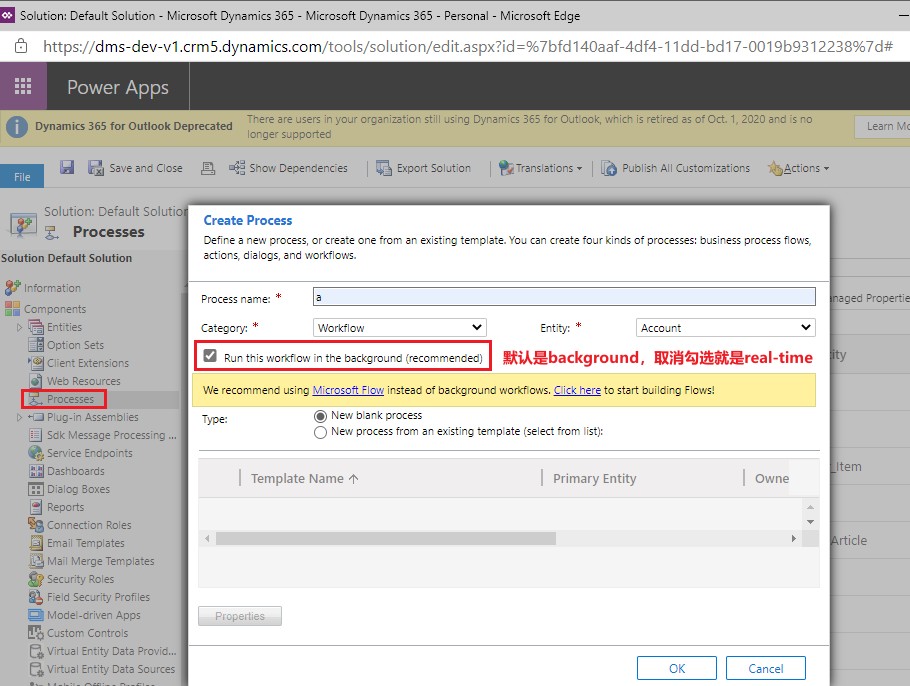
  • 新建workflow时,可以选择 Run in the background,或Run in real-time。注意plugin中的用语是asynchronous和synchronous,plugin和workflow是完全两套规则。
  • 新建workflow截图:
  • background workflow截图:
  • real-time workflow截图: